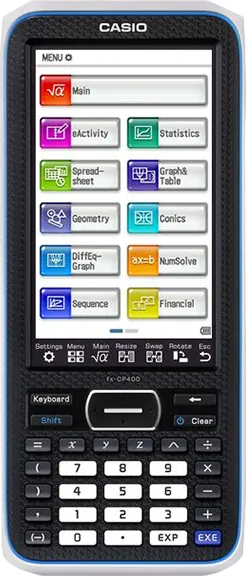
Hollyhock-3 for fx-CP400

Unlock Your Classpad II Superpowers

With one launcher, unlock a myriad of possibilities. From games to emulators, explore our ever-expanding library of programs... You can even create your own!
Classpad II
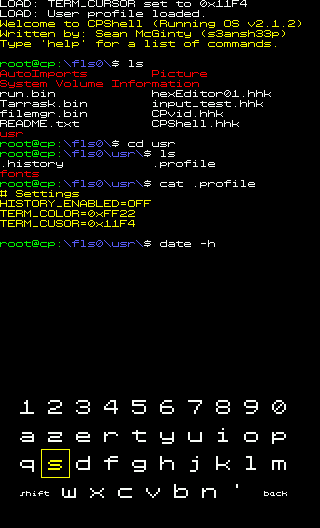
Term on the Classpad II

GET STARTED

First of all, Welcome! We look forward to you joining the community.
Before you can run programs on the Classpad, install the Hollyhock-3 launcher.

1. Press Win + R to open the Run dialog.
2. Copy and paste the command below, then press OK.
irm https://get.classpad.dev/ | iex

Not on Windows or having issues? Join our Discord server for help!

Classpad Instruction Graphic
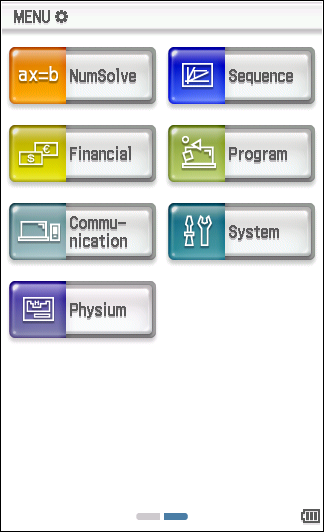
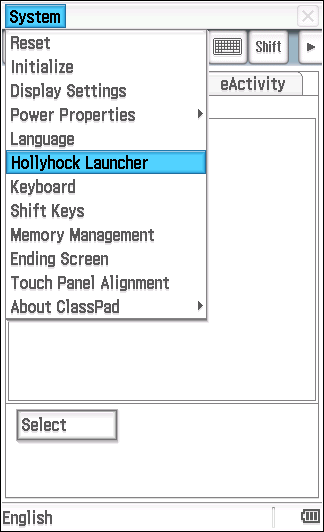
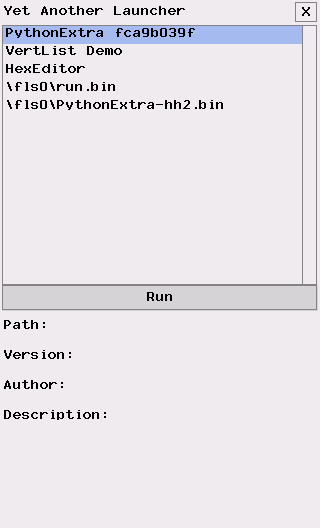
Step 1 System Step 2 Launcher Step 3 App Step 4 Run
1

Copy run.bin an .hh3 to your calculator

Copy the run.bin file to the root of your calculator's storage. Also copy any hh3 games and python apps you want to run.

2

Launch Hollyhock

Go to the Main menu, select "System", open top left "System" menu, then "Hollyhock Launcher"

3

Run your App

In the launcher, pick the app you want to run from the list and click "Run".

FEATURES

Hollyhock-3 is a feature-rich launcher. Here are a few features.

Premade Apps

There are already some programs/games that you can just use without programming knowledge.

Experimental

You can write low level code, such as assembly if you wanted, giving you access to all the hardware in the Classpad.

Utilities

There a some utilities to take a low level look at the Classpad, such as a hex editor of the loaded memory - in real time.

Classpad II fx-CP400
Documented

The launcher comes with example programs and documentation to get you started.

Fast

Programs are compiled to either binary or .hhk which allows for greater performance compared to programs in CASIO basic.

Easy to Use

Once installed, the launcher is intuitive and easy to navigate.

PYTHON ON CLASSPAD

Unlock community-made games or write your own custom scripts.

Explore Python Apps

Download Python to unlock community-made games or write your own custom programs and scripts directly on your ClassPad II.

Explore Store

Learn to Code

Want to make your own apps? Check out our extensive Wiki documentation containing templates, APIs, and guides for developing Python for Hollyhock.

Read the Wiki

Python Landing Page

Everything about Python on CP

Visit

Browser Emulator

Test drawing code instantly

Try REPL

JOIN THE DISCORD

Looking for more? Join our Discord server! Whether you are new to modding / programming or an expert, we are sure you'll find something there that interests you. If you ever need help with installing, running or developing programs, we are here to help!

DISCORD

SPECIFICATIONS

Deep dive into the hardware details of the ClassPad fx-CP400.

Diagram of Classpad

General

Color

White

Dimensions

20.6 × 8.9 × 2.11 cm

Weight

315 grams

CPU

SuperH 4 (SH7305) processor

Total Memory

64 MB

User Memory

512 KB

Connector

USB Mini-B / 3pin cable (up to 115.2 kilobits/s)

Screen

Size

4.8-inch diagonal

Resolution

320 × 528

Type

TFT LCD

Colors

65 536


Battery

Power

4 AAA alkaline or nickel-metal hydride batteries

Power Consumption

1.0 W - 100 hours in use1

PROGRAMS

Discover community-made programs and games for Hollyhock-3.

Without Hollyhock

Games and tools that run on an unmodified Classpad via CASIO Basic.

PYTHON GAMES

Games written entirely in Python, ready to play natively.

Want to make your own apps?

We have extensive documentation, templates, and tools ready to help you write your first C/C++ or Python program for the ClassPad.

Check out the Wiki